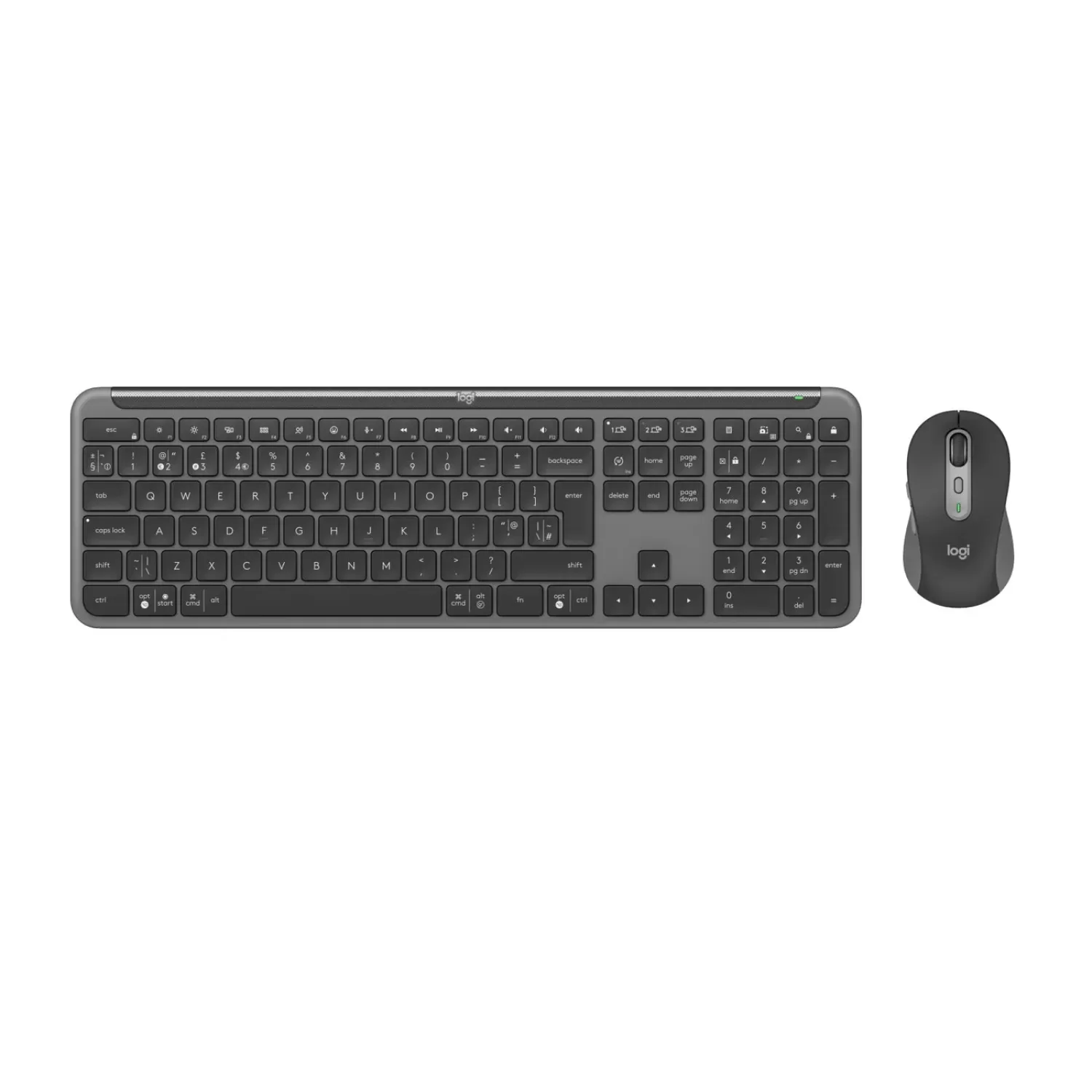
Wireless set – Logitech MK950 SLIM: a keyboard and mouse combo that keeps you productive as you move between your work Computer and your personal devices.
- Combine the magic – balancing work tasks and personal life can be challenging. The Signature Slim K950 keyboard and mouse help you manage it all by putting a little magic right at your fingertips.
- Switch smoothly between your devices and customize your keys so that everything you need is comfortable and efficient.
Use one mouse-and-keyboard set across several Computers at once — even across different operating systems. Connect them via Bluetooth or the Logi Bolt receiver to effortlessly move text, images, and files between Computers like magic. *Requires installing Logi Options+, with all your Computers connected to the same network. *Customize the device by installing the Logi Options+ app, available for current versions of Windows and macOS at logi.com/optionsplus
Combine work and personal life to get more done than you ever thought possible. Use your Signature Slim K950 with the Logi Options+ app and personalize the device by installing Logi Options+, available for current versions of Windows and macOS. *The Logi Options+ app is not currently supported on Chrome OS, Linux, iPadOS, iOS, or Android. The device's basic functions will work without it. *The mouse is not supported on iOS.
- Customize your F: keys effortlessly. Assign simple functions to the keyboard and mouse, like opening a browser, streaming music, and more. Take control and boost your efficiency with personalized shortcuts.
The polished design and premium build of the full-size Signature Slim K950 keyboard elevate any desk — paired with the Signature Plus Mouse M750 and its comfortable shape, the two create a wonderful combination.
Stay focused on the task at hand thanks to the quiet keystrokes of the Signature Slim K950 and the quiet clicks of the Signature Plus M750 with SilentTouch technology — your colleagues nearby will definitely appreciate it.
Don't worry about your device's operating system. You can connect wirelessly and work on Windows, macOS, Chrome OS, Linux, iPadOS, iOS, and Android.* *The mouse is not supported on iOS.
You can pair the Signature Slim K950 keyboard with three devices and switch between them at the press of a button.
The Signature Plus M750 mouse with SmartWheel lets you scroll through documents line by line, or fly effortlessly through a long web page. *The mouse is not supported on iOS.
Keyboard:
- Height: 134.8mm
- Width: 433.8mm
- Depth: 23.1mm
- Weight (with battery): 685g / (without battery, without receiver): 662.6g. Battery:
- Battery type: non-rechargeable, alkaline
- Number of batteries: 2×AAA (included)
- Battery life: 36 months *Battery life may vary depending on user and computing conditions.
- Full: size layout with number pad
- Tilt legs (for an 8-degree typing angle)
- On/off switch
- Indicator lights for Caps Lock, battery, and Easy-Switch
- Multi: OS printed layout (Windows/Mac/Chrome)
- Easy: Switch keys (connect up to 3 multi-OS devices)
- Compatible with mice that support Logitech Flow technology *Requires installing Logi Options+, with all your Computers connected to the same network. Customize the device by installing the Logi Options+ app, available for current versions of Windows and macOS at logi.com/optionsplus. The Logi Options+ app is not currently supported on Chrome OS, Linux, iPadOS, iOS, or Android. The device's basic functions will work without it. The mouse is not supported on iOS. Mouse:
- Height: 108.2mm
- Width: 61mm
- Depth: 38.8mm
- Weight (with battery): 101.3g / (without battery, without receiver): 76.3g
- *The mouse is not supported on iOS.
- Quiet clicking and scrolling *Click noise reduced by more than 90% compared to the Logitech M185. Left-click and typing dBA levels measured by an independent lab at a distance of 1 meter
- SmartWheel technology
- Contoured shape with rubber grips
- Number of buttons: 6 (left/right click, middle-click scroll wheel, side buttons, DPI button)
- On/off switch
- Battery indicator and Easy: Switch indicator lights
- Multi: OS compatibility
- Easy: Switch button (connect up to 3 multi-OS devices)
- Compatible with Logitech Flow technology *Requires installing Logi Options+, with all your Computers connected to the same network. Customize the device by installing the Logi Options+ app, available for current versions of Windows and macOS at logi.com/optionsplus
- Sensor technology: Logitech Advanced Optical
- Rated value: 1000 DPI
- DPI (min/max): 400–4000 DPI (adjustable in increments of 100 DPI). Connection type support:
- Logi Bolt USB receiver (included)
- Bluetooth Low Energy technology (Bluetooth 5.1). Wireless range:
- *10m — wireless range may vary depending on user, environment, and computing conditions. Requirements:
- An internet connection is required to download the optional Logi Options+ customization app. *Customize the device by installing the Logi Options+ app, available for current versions of Windows and macOS at logi.com/optionsplus. The Logi Options+ app is not currently supported on Chrome OS, Linux, iPadOS, iOS, or Android. The device's basic functions will work without it.
- Device supports Bluetooth Low Energy with keyboard and mouse support
- Customization app
- Supported by Logi Options+ on Windows and macOS. Customize the device by installing the Logi Options+ app, available for current versions of Windows and macOS at logi.com/optionsplus. The Logi Options+ app is not currently supported on Chrome OS, Linux, iPadOS, iOS, or Android. The device's basic functions will work without it.
- Warranty: two-year manufacturer warranty